Skip to content
View in the app

A better way to browse. Learn more.

ComicBook Forum

A full-screen app on your home screen with push notifications, badges and more.

To install this app on iOS and iPadOS
  1. Tap the Share icon in Safari
  2. Scroll the menu and tap Add to Home Screen.
  3. Tap Add in the top-right corner.
To install this app on Android
  1. Tap the 3-dot menu (⋮) in the top-right corner of the browser.
  2. Tap Add to Home screen or Install app.
  3. Confirm by tapping Install.

Shvinji

Members
  • Joined

  • Last visited

Everything posted by Shvinji

  1. Hello, my name is Emanuel. I like video games, movies and a bunch of stuff. I’m also trying to invest into some comics I would love to get some recommendations by anyone!
  2. Shvinji posted a topic in Movies
    Hot take, Andrew Garfield would’ve been liked more if he had received a third movie. The third movie could’ve fixed the errors of the second movie and it would’ve been awesome to see it happen!
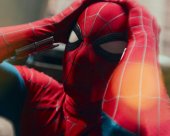
  3. If I have to be totally honest, Tom holland. The way he potrays as Spider-Man and Peter Parker is chefs kiss. Some people may not see it but Tom Hollands Spider-Man movies gave me relatable moments because every Spider-Man fan knows how it is to relate Peter Parker. I honestly can’t wait for Brand New Day, it’s gonna be an amazing movie and its definitely gonna be worth the wait after NWH!
Account

Navigation

Search

Search

Configure browser push notifications

Chrome (Android)
  1. Tap the lock icon next to the address bar.
  2. Tap Permissions → Notifications.
  3. Adjust your preference.
Chrome (Desktop)
  1. Click the padlock icon in the address bar.
  2. Select Site settings.
  3. Find Notifications and adjust your preference.